Live investor sandbox · Synthetic data, production architecture

Turning unbanked soil
into governed yield for capital.

AgriRisk UZ uses satellite telemetry, AI scoring and audit-grade drone data to turn smallholder loans into transparent, stress-tested instruments. This demo lets you validate the thesis yourself in ~15 minutes, across Credit, Risk and Investor views.

Market
Fragmented ~micro-ticket agri lending

Demo shows how $500 loans become profitable when underwriting is data-driven, not branch-visit driven.

Risk Engine
Field-level PD, stress tests, overrides

Watch the same field travel from application to loan, portfolio and Harvest Note, with audit trail preserved.

New Asset Class
“Harvest Notes” for LPs

Pools are built from scored fields & drone-verified collateral, with climate stress baked into the note.

How to run the demo in 15 minutes

The same demo app supports three roles. Walk through them in sequence to show how one data pipeline powers origination, risk and investor products.

  1. 1 Credit Officer — prove unit economics: field-level scoring, AI underwriting, governed overrides.
  2. 2 Risk Manager — prove downside control: portfolio stress tests, drone-triggered missions.
  3. 3 LP / Investor — prove investability: Harvest Notes, climate scenarios, AI model governance.
START HERE · ORIGINATION

Credit Officer

Use the Field map and Loans views to see how satellite data replaces site visits and how AI pre-packages a recommendation.

  • • Open a field passport from the map, review yield & risk scores.
  • • Generate an AI recommendation, then override it to trigger governance.
  • • Narrate the unit economics: CAC, time-to-decision, ticket size.
demo_officer_1
PHASE 2 · RISK CONTROL

Risk Manager

Use the Portfolio and Drone missions views to show climate stress tests and audit-grade ground truth.

  • • Run a rainfall shock and watch expected loss move in real time.
  • • Inspect a drone mission where an AI anomaly triggered a flight.
  • • Explain how this protects lender solvency in “bad years”.
demo_risk_1
PHASE 3 · CAPITAL

LP / Investor

Use Harvest Notes and the AI Lab to show what you would actually be buying.

  • • Inspect note-level tier composition and climate stress tests.
  • • Show AI model cards with R² and validation governance.
  • • Connect this to uncorrelated return for your fund.
demo_inv_1

Demo usage guide · what to click and what it proves

Credit Officer
Field map → Loans
  • Underwriting from the map. On login, the Field map loads fields from the API. Click any field to open the Field Passport (scores, loan, AI recommendation).
  • AI recommendation. Switch to Loans, pick a PENDING application, and click Generate Analysis to see the recommended range, PD band and constraints.
  • Governed override. Approve slightly above the AI range: the UI requires a reason code and logs an override for the risk team — demonstrating “human in the loop” instead of black-box AI.
Risk Manager
Portfolio → Drone missions
  • Climate stress. In Portfolio, move Rainfall, Temperature and Price sliders and run a simulation to see Expected Loss and downgrades by field and region.
  • Watchlist building. Review the list of fields that fall from Tier A→B or B→C; this is effectively an automated watchlist engine.
  • Ground truth check. Open Drone missions, select a processed mission and show the composition of Healthy / Stressed / Bare / Waterlogged pixels per field — this is fraud and collateral verification.
LP / Investor
Harvest Notes → AI Lab
  • Note composition. In Harvest Notes, select a note to see how many fields, hectares and how much exposure sits in Tiers A/B/C, plus cashflow profile and drought losses.
  • AI governance. In AI Lab, browse model cards: inputs, outputs, R², training size and AI-generated summary. This is the “credit model factsheet” for your IC.
  • Override & audit story. Optionally, visit Settings & Audit to show actual override logs, model certificates and change audit trail.

Tip for meetings: Run the Credit Officer and Risk Manager flows live, then switch to slides for fund sizing and pipeline. You can keep the app mirrored on a second screen for Q&A.

Phase 01 · High-Velocity Origination

Stop funding site visits.
Start funding data.

In the demo, the Field Dashboard & Loans screen show how a credit officer can move from a request to a governed decision in minutes, not days.

Step 1 · Open the Field Passport

Login as demo_officer_1. On the Field map, click any field (e.g. F-1000). You’ll see its Field Passport: crop, season, loan status and a data-driven risk view, rather than self-reported farmer information.

Step 2 · Ask the AI Copilot

The side-panel Copilot translates NDVI, rainfall and behaviour history into a human-readable credit memo (“Why is this field Tier A? What are the main risks?”). This is what lets junior staff scale like a seasoned underwriter.
Investor takeaway
Unit economics: by replacing physical visits with telemetry and AI, the platform makes very small tickets economically viable and consistent.
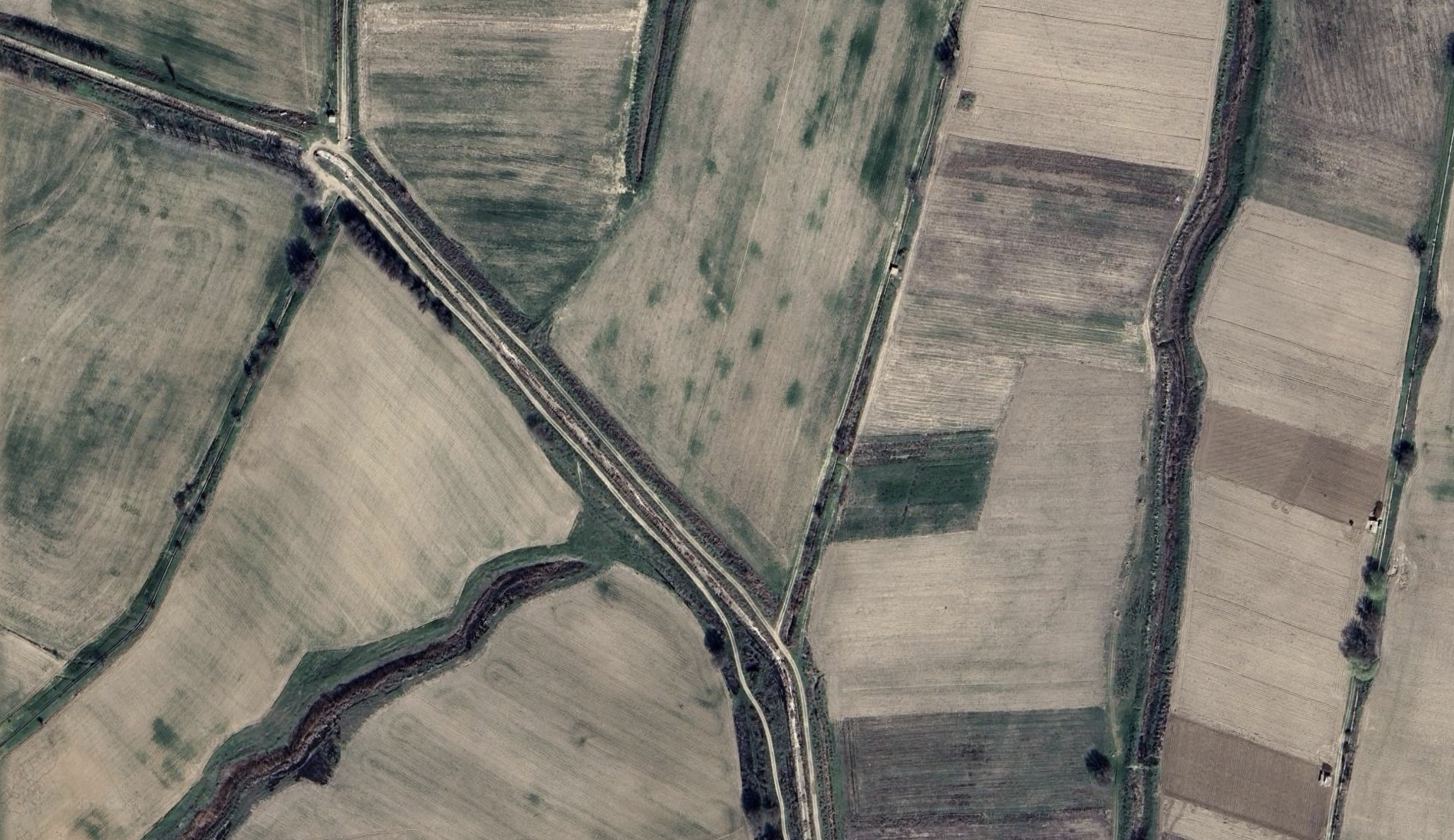
SATELLITE FEED
Satellite view of agricultural fields
Yield Score vs Region

3-year satellite history, no farmer self-reporting.

Risk Tier
A+ / Stable

PD band 1–2% in the demo data.

Stress Test Engine
Rainfall Deviation -30%
Expected Loss (EL) +12.4%
Warning: 42 fields moved to Watchlist in this scenario.
Phase 02 · Algorithmic Control

Quantify the “act of God”.

Here the demo shows how climate stress feeds into expected loss, and how anomalies drive drone verification, not anecdotes.

Step 1 · Black Swan simulator

Login as demo_risk_1. In Portfolio, drag rainfall to −20% or −30%. Watch risk tiers shift and Expected Loss increase, including a list of fields that are downgraded.

Step 2 · Drone as audit layer

Open a Drone mission. Each mission is triggered by an AI alert (e.g. NDVI drop). The mission shows coverage, plant uniformity and stress hotspots, acting as an independent check on collateral and crop health.

Investor takeaway
Risk story: the platform doesn’t just hope for good weather; it quantifies loss under bad weather and links that to surveillance and governance.
Phase 03 · Structured Finance

From fields to Harvest Notes.

This is where a global LP would actually invest: in diversified, data-backed notes, not in individual farmers.

Step 1 · Inspect a Harvest Note

Login as demo_inv_1. In Harvest Notes, open a note like Wheat Note – Ferghana 2025. You can see how much of the pool is Tier A/B/C, hectares, region and the expected cashflow waterfall.

Step 2 · Governance & AI Lab

Jump to the AI Lab to see model cards with R², training samples and limitations, then to Settings & Audit to see overrides and model governance policies. This is the “comfort” layer for risk committees.

Investor takeaway
Product story: a repeatable, explainable asset class with climate-aware stress testing and clear responsibilities between AI and humans.
Asset
HN-WHEAT-2025-01
Ferghana · Winter wheat · 320 fields
Modelled Yield
18.5%
Asset
HN-COTTON-2024-02
Andijan · Cotton · 210 fields
Realized Yield
21.2%

Each note is backed by field-level scores, drone coverage and climate stress tests, not just branch manager judgement.

Under the hood: built like a real bank stack

The demo is not a slideware mock. Each screen talks to a live API, mirroring how a bank or fund would integrate AgriRisk into their core systems.

Multi-tenant banks (e.g. UzAgroBank Demo, MicroFinance Demo)

Fields & Field Passport

All field cards in the demo are backed by a Field Passport: region, crop, NDVI & weather time series, AI risk tier, loan status and drone metrics.

  • • Lists & filters fields by tier, crop, region.
  • • Pulls a full passport for a selected field.
  • • Adds AI interpretation and Copilot explanations.

In the backend docs these correspond to endpoints such as /fields, /fields/{id} and their AI add-ons — but the investor view stays purely visual.

Loans, overrides & stress tests

The Loans and Portfolio views are thin UI layers on top of loan, recommendation and stress-test APIs.

  • • AI generates a recommended amount, tenor and pricing band.
  • • Decisions log overrides, reasons and officer comments.
  • • Stress tests shift exposure and Expected Loss under climate shocks.

For technical diligence, the backend docs describe endpoints like /loans/applications, /portfolio/summary and /portfolio/stress-test.

Harvest Notes & Governance

Harvest Notes pool scored fields into investable instruments, while the AI Lab and Settings screens expose model governance and audit logs.

  • • Note-level tier composition and climate stress outputs.
  • • Model cards with metrics, limitations and owners.
  • • Central list of all AI overrides and config changes.

Backed by APIs such as /harvest-notes, /ai/models, /settings/overrides and /settings/model-governance.

For engineers on the investor side, the full backend reference describes how to plug production AI (e.g. OpenAI) and PostgreSQL into the same endpoints you see here. For IC and risk committees, the demo UI focuses on what matters: how capital is allocated, monitored and governed.

Ready to test this as a live mandate?

Use the demo to stress-test the thesis, then request the detailed data room (back-tests, pipeline, legal wrapper). We can also co-design a pilot portfolio aligned with your risk appetite.

AgriRisk UZ · Investor Simulation · Confidential